Industry
Data Management, Multi-platform storage, Software
Client
Strongbox Data Solutions
Strongbox's Platform UX and Data Management
Reimagining complex data experiences with clearer structure and usability.
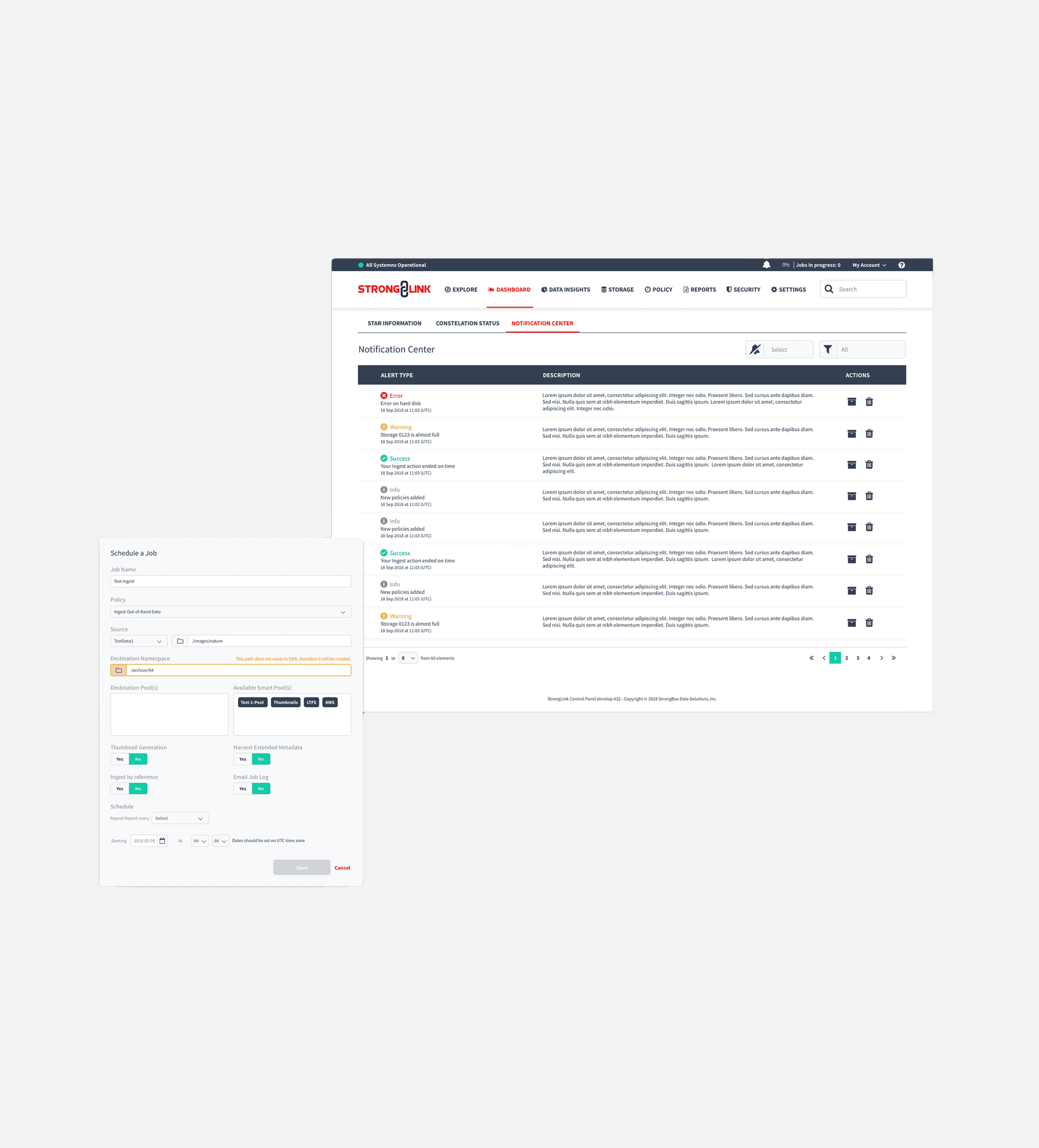
Between 2018 and 2019, this project focused on improving how large volumes of complex data were managed, visualized, and acted upon within the product. As the platform evolved, it became clear that both the workflows and the visual language needed to be re-evaluated to better support clarity, efficiency, and ease of use. The work centered on simplifying processes, restructuring data visualization, and applying design best practices across the experience — while simultaneously supporting the development of new features. These new capabilities were designed to align with the updated guidelines, ensuring consistency and scalability as the product continued to grow.
Process & Outcome
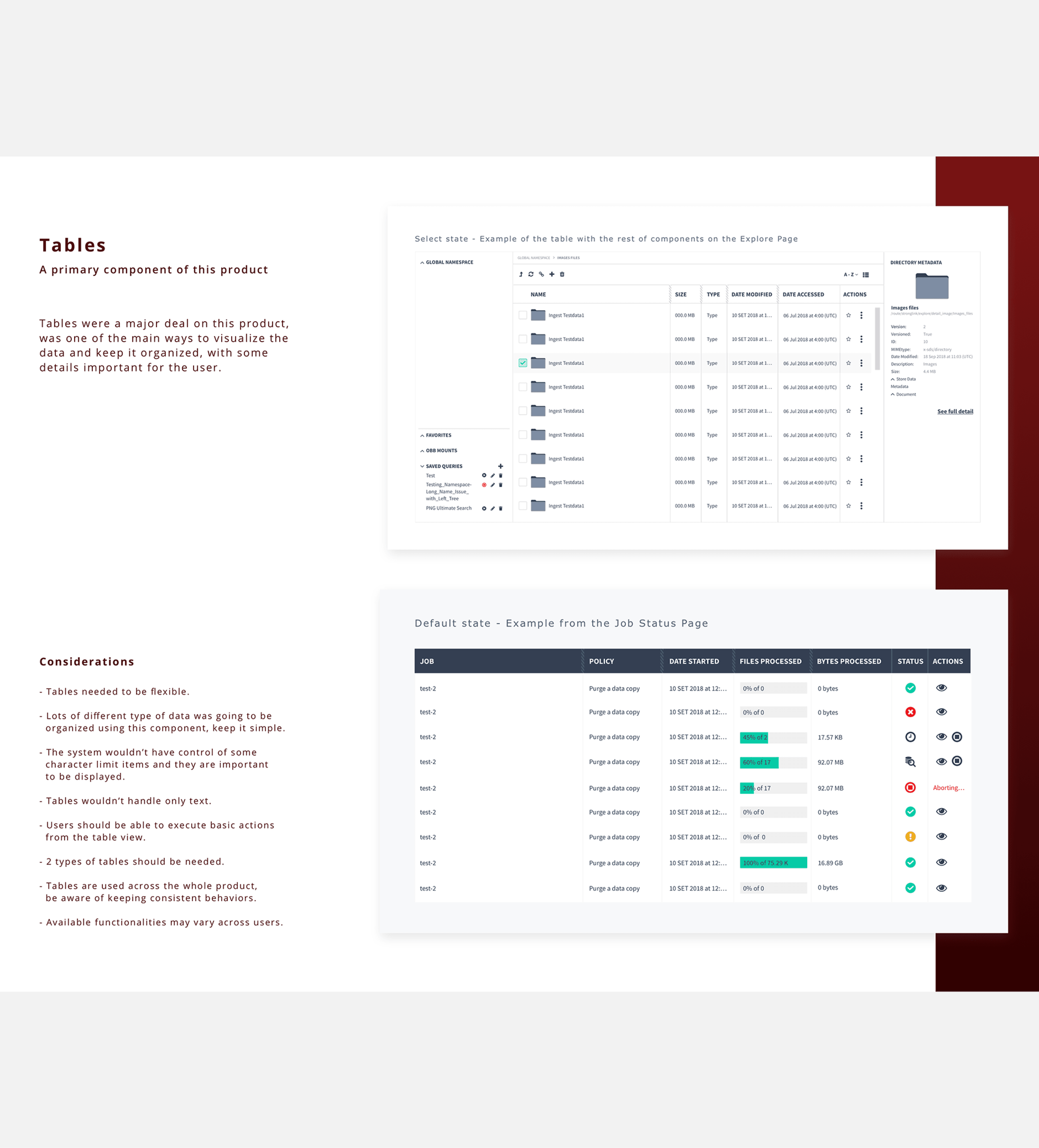
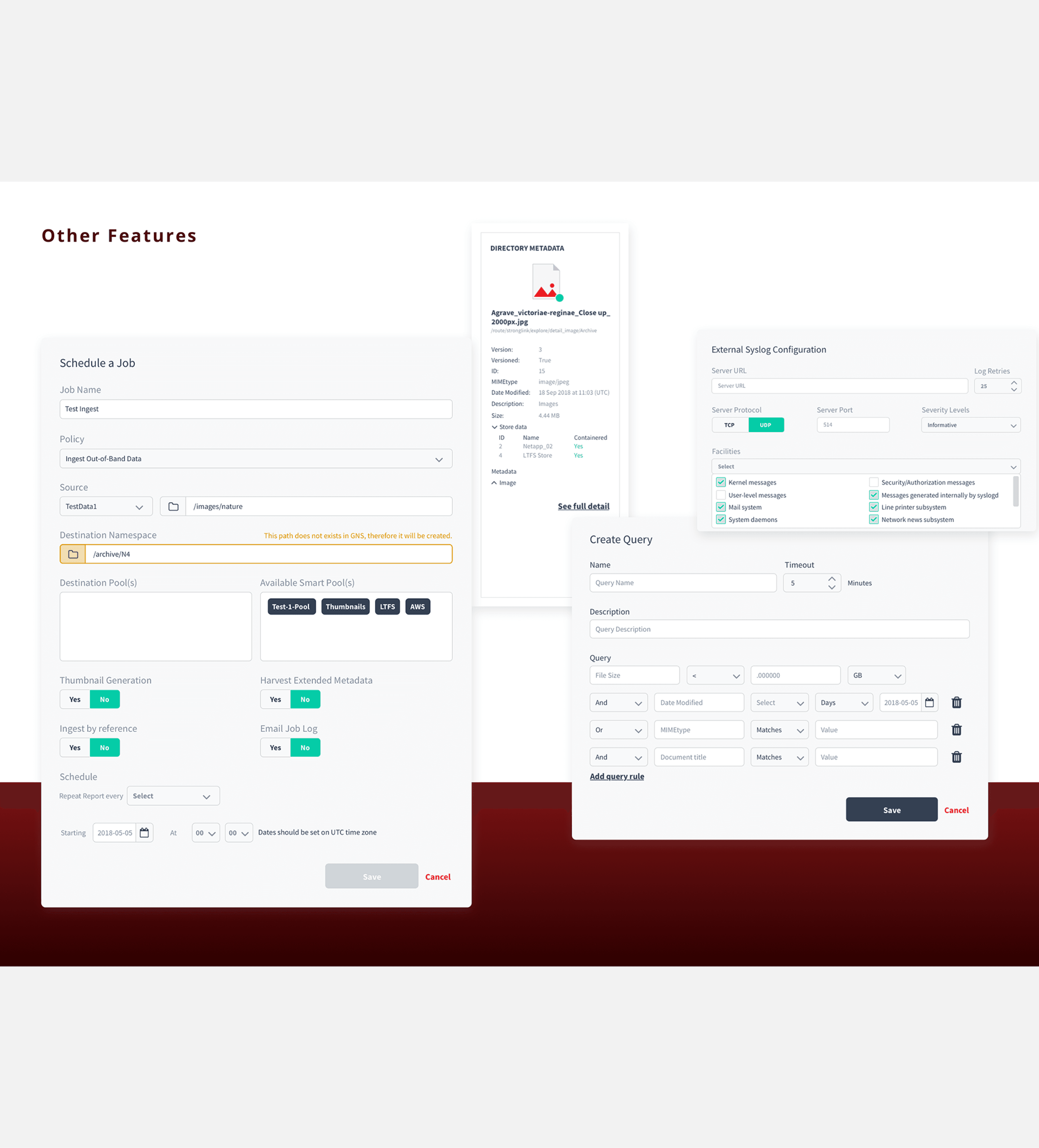
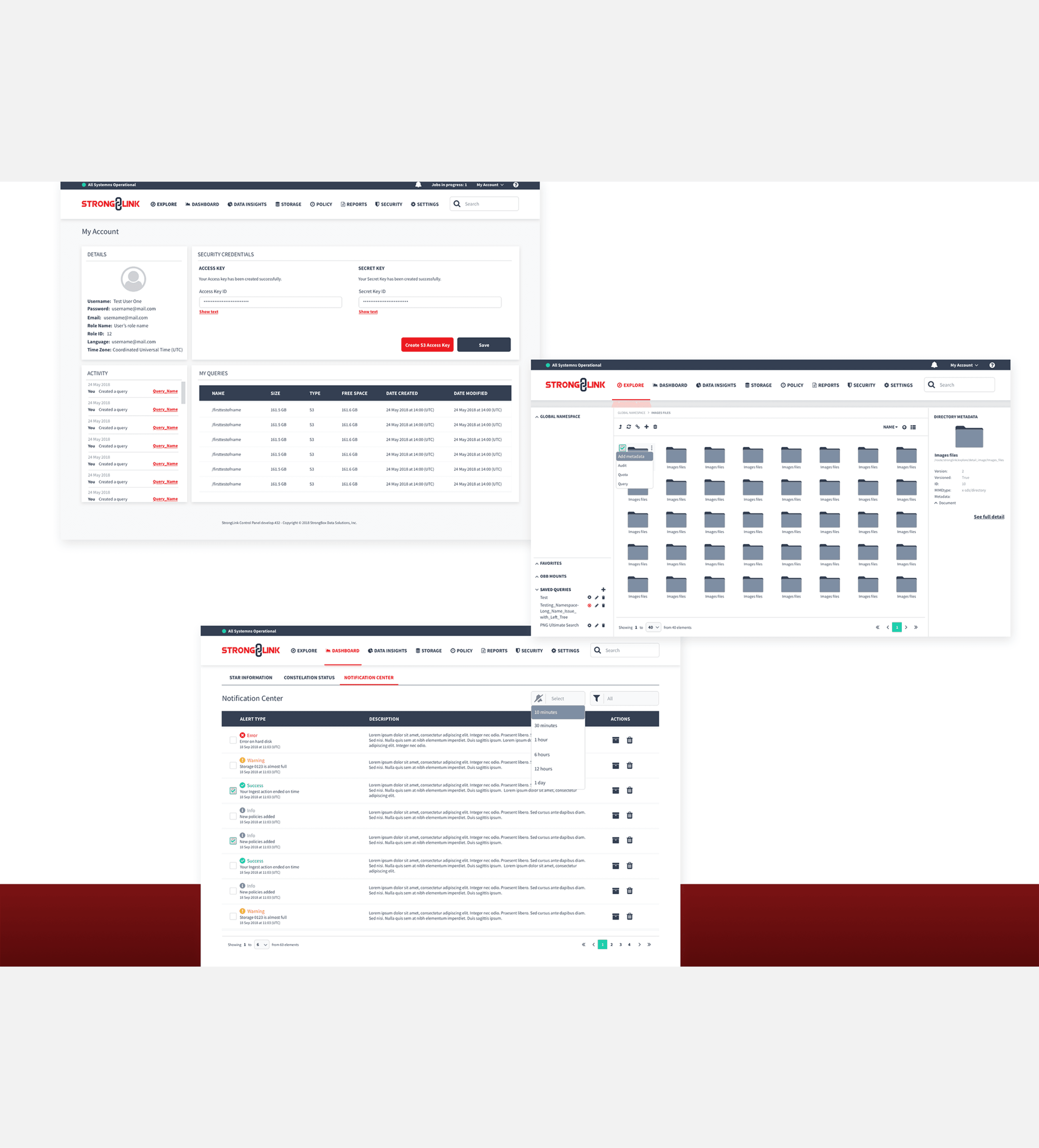
Designing for a data-heavy product required balancing scale, performance, and usability. The challenge wasn’t just handling large volumes of information, but doing so in a way that felt predictable, transparent, and easy to understand for enterprise users managing complex workflows every day. - Problem Definition - The product needed to support organizations working with large and diverse types of data — from simple text documents to heavy multimedia files — while maintaining fast, reliable processes. Users needed to categorize, preview, move, and manage data across servers, all while clearly understanding what was happening at each step. The core challenge was integrating powerful data-management capabilities without overwhelming users. The experience had to remain simple and usable, even as complexity increased behind the scenes. Clear feedback during long or multi-step processes (loading states, warnings, confirmations, errors, and progress indicators) became essential to building trust and confidence. The type of personas could be summarized on these, based on the access levels and roles: standard user, and administrator. For this case study, I will focus on the Standard User, whose needs highlighted the product’s biggest pressures: 1. Managing metadata and categories at scale. 2. Supporting both list and thumbnail views. 3. Previewing content without disrupting workflows. 4. Handling large datasets reliably across servers. 5. Maintaining clarity during complex or time-consuming actions. - Ideation & Exploration - Ideation began by aligning closely with the Product Owner on requirements, goals, and constraints. I explored solutions through benchmarking and hand-drawn sketches, grounding ideas in familiar file-management patterns users already understood. As concepts matured, I translated them into high-fidelity mockups to communicate ideas clearly with stakeholders and clients. Constant collaboration with developers and the technical lead ensured solutions were feasible before being presented, reducing friction later in the process. Key insights shaped the direction: 1. Users expected behavior similar to standard file-management tools, adapted for scale. 2. Functionality was the priority, but a clean, restrained UI still mattered. 3. Existing visuals and behaviors lacked consistency. 4. The product needed to respect brand identity, using red intentionally rather than excessively. 5. Responsiveness had not been considered, causing layout issues on smaller screens. 6. A partial design system existed but needed restructuring. - Design & System Thinking - Design decisions focused on clarity, predictability, and reuse. I began with a full product and UI audit to identify duplication, inconsistencies, and opportunities to standardize patterns. From there, I led a redesign of the existing design system: 1. Defined core components and behaviors. 2. Simplified tables and dashboards where possible. 3. Introduced solid iconography and visual indicators to reduce text-heavy interfaces. 4. Used graphics to communicate quantities and states more efficiently. 5. Applied breadcrumbs and static navigation to support complex hierarchies. 6. Maintained light backgrounds and limited typography to support dense content. 7. Introduced responsive considerations to prevent content breakage. Prototypes, guided documentation, and scenario-based flows were used extensively to validate complex interactions and ensure shared understanding across teams. - Outcome - The result was a clearer, more scalable experience for managing large volumes of data. Workflows became easier to follow, visual inconsistencies were reduced, and users gained better context and feedback during complex operations. From a product perspective, the redesign: 1. Improved usability for data-heavy tasks. 2. Established a stronger, more consistent design system foundation. 3. Aligned functionality with familiar user expectations. 4. Reduced cognitive load without sacrificing capability. 5. Created a scalable framework for future features and growth. By rethinking workflows, visuals, and system foundations together, the product evolved into a more reliable, transparent, and user-centered platform — even under heavy data demands. - Lessons Learned - 1. Research grounds better solutions. Understanding how a product truly works starts with learning from the people who use it. Deep knowledge of user workflows and real processes leads to more targeted, effective design decisions. 2. User needs and business goals must stay in balance. Designing successful products requires aligning user needs with business objectives. Finding that balance — and revisiting it as priorities evolve — ensures solutions are both usable and sustainable. 3. Adaptability is essential. Change is inevitable. Being able to respond proactively to shifting requirements, constraints, or new information is key to maintaining momentum and delivering quality outcomes. 4. Communication prevents rework. Consistent, open communication across the team — including stakeholders and clients — reduces misunderstandings and unnecessary iterations. Early and ongoing collaboration with developers is especially important to align on technical constraints and design feasibility. 5. Listening builds trust. Being approachable and receptive to ideas, concerns, and feedback — particularly from clients — strengthens relationships and improves outcomes. When people feel heard, collaboration becomes smoother and more effective.